 FlixShift
Pay only for the streaming you watch
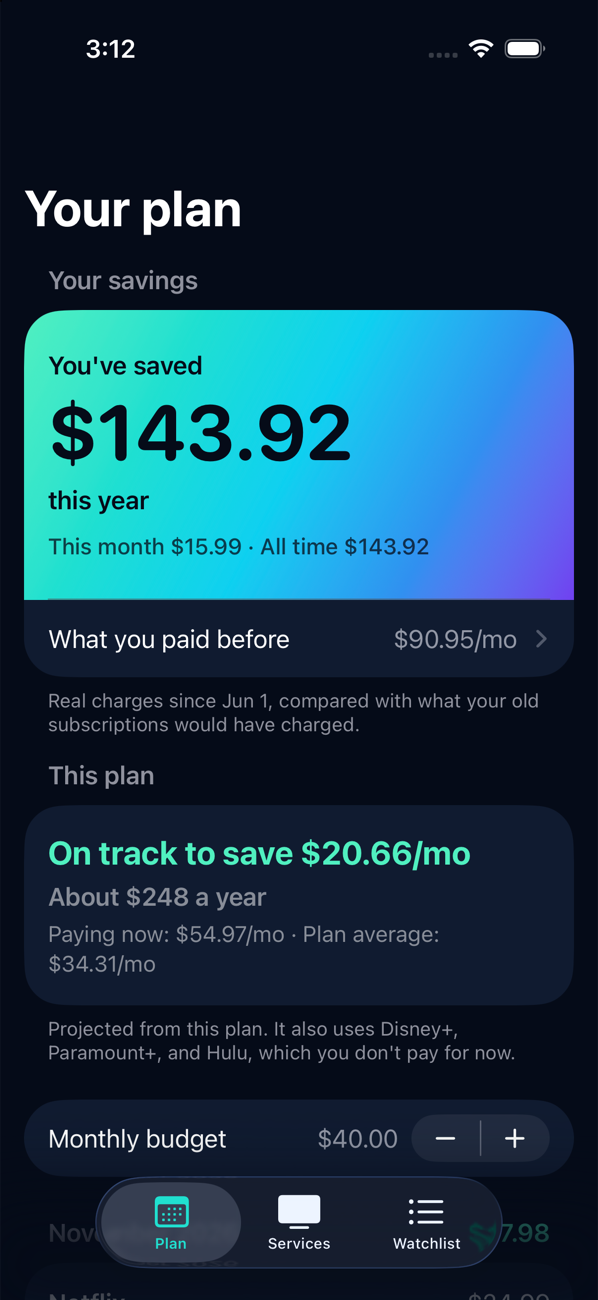
You don't need every service every month. Tell FlixShift what you want to watch and your budget. It works out which services to keep, and when to cancel and restart them.
Coming soon to iPhoneNo account needed. Your data stays on your phone.
How it works
1
Add what you want to watch
Search for movies and shows. FlixShift looks up where each one is streaming.
2
Set a monthly budget
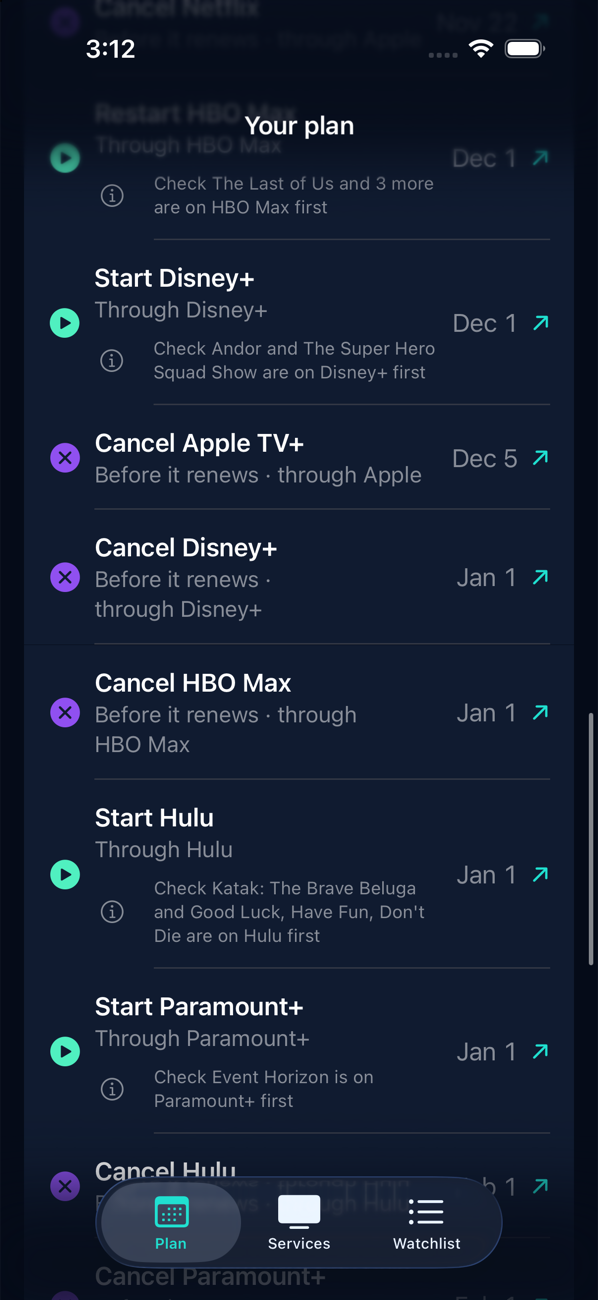
It picks the cheapest services that cover your list and spreads them across the months.
3
Follow the plan
You get a reminder before each renewal and a link straight to the cancel or restart page.
You stay in control
- You cancel, not us. FlixShift opens the right page for whoever bills you. It never asks for your streaming passwords.
- No account, no ads, no tracking. Your subscriptions, watchlist and budget are stored on your phone.
- Real savings, not guesses. It compares what you were charged with what you used to pay.
The details are in the privacy policy.